
AirBUS: luminaire transmit power and SEND SYNC
AirBUS: luminaire transmit power and SEND SYNC
480 × 320 display screens in the selected language. The yellow outline marks where to tap. Illustrated data is for demonstration.
Have your own administrator or service PIN and the required luminaire radio power ready. The luminaires must have power and be reachable by radio to receive synchronization. After saving, you will also run Send SYNC in the Radio menu. Controller access codes →
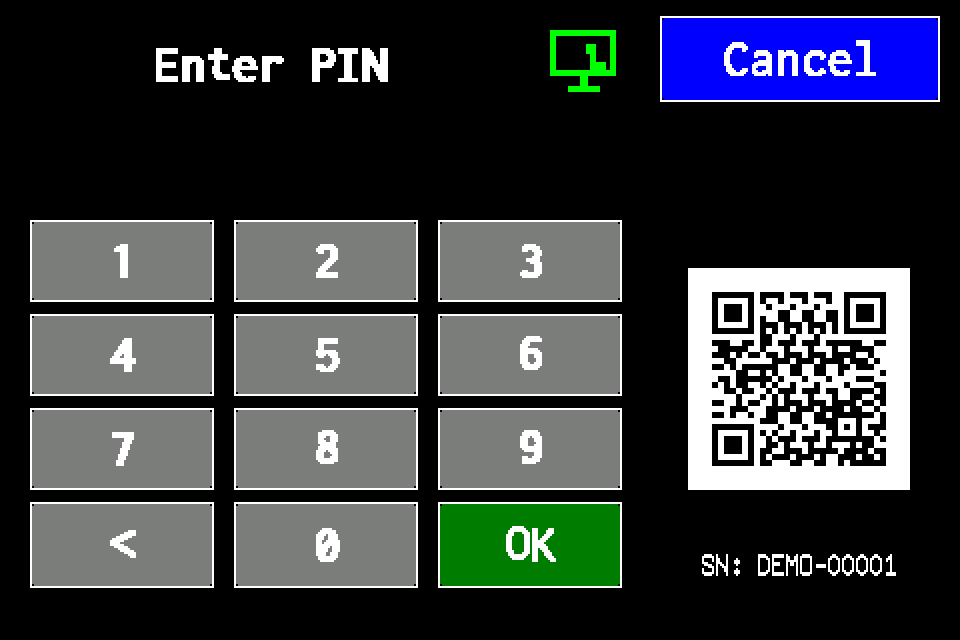
If the controller asks for a PIN
Enter your PIN on the display and confirm with OK. Use an account authorised for controller settings. If already signed in, continue to the next menu screen. Controller access codes →
In METRO, the PIN window retains its original appearance. Controller access codes →
-
EZF480 × 320 · Classic
 1Step 1 / 8
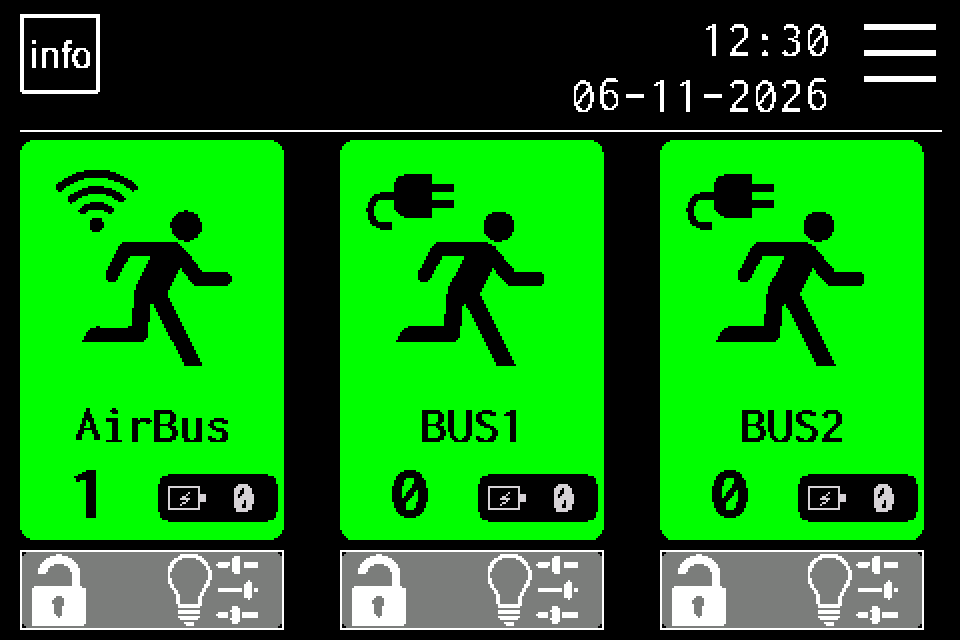
Open MENU
On the home screen, tap MENU in the upper right. If prompted, enter your own PIN and confirm with OK. Controller access codes →
-
EZF480 × 320 · Classic
 2Step 2 / 8
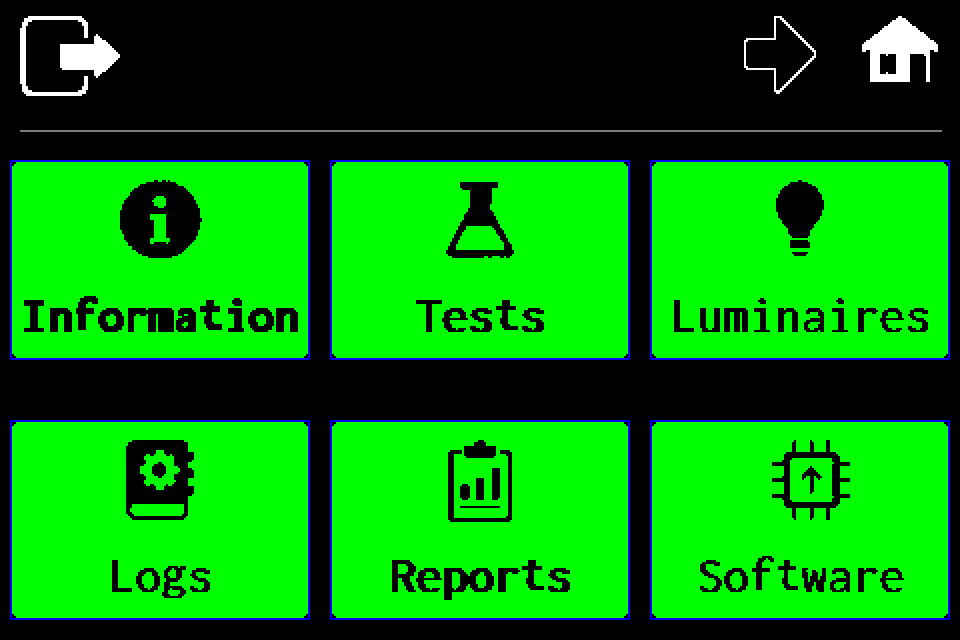
Open the second menu page
Tap the right arrow in the top bar.
-
EZF480 × 320 · Classic
 3Step 3 / 8
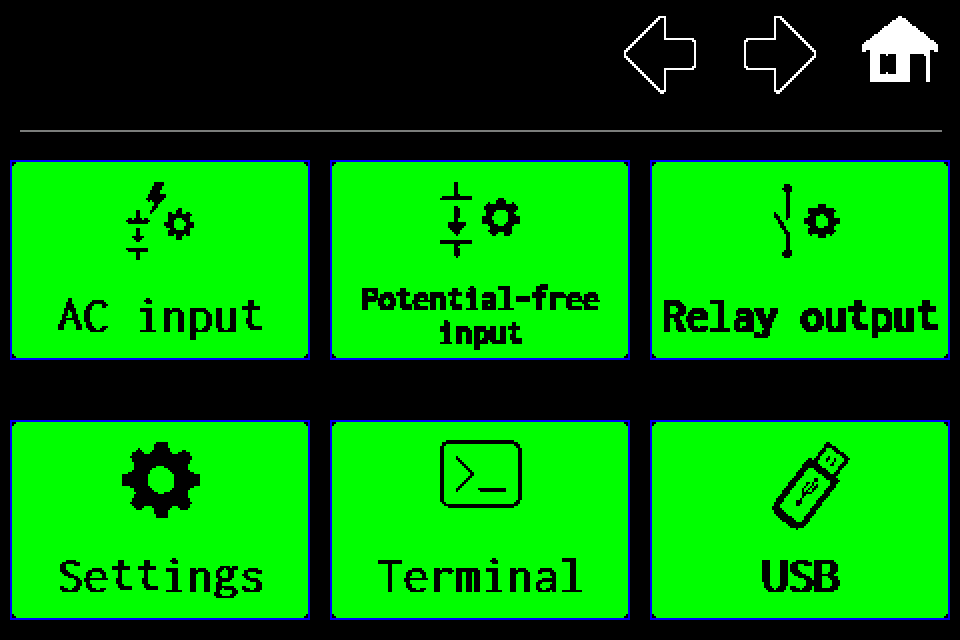
Choose “Settings”
On the second menu page, tap Settings in the lower left.
-
EZF480 × 320 · Classic
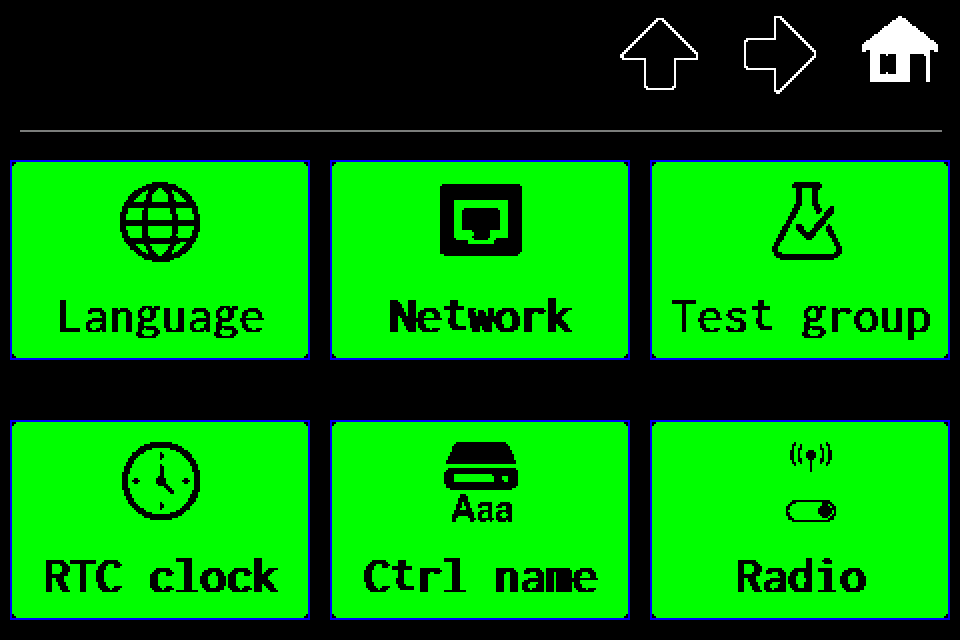 4Step 4 / 8
Open “Radio”
On the first settings page, tap Radio in the lower right.
-
EZF480 × 320 · Classic
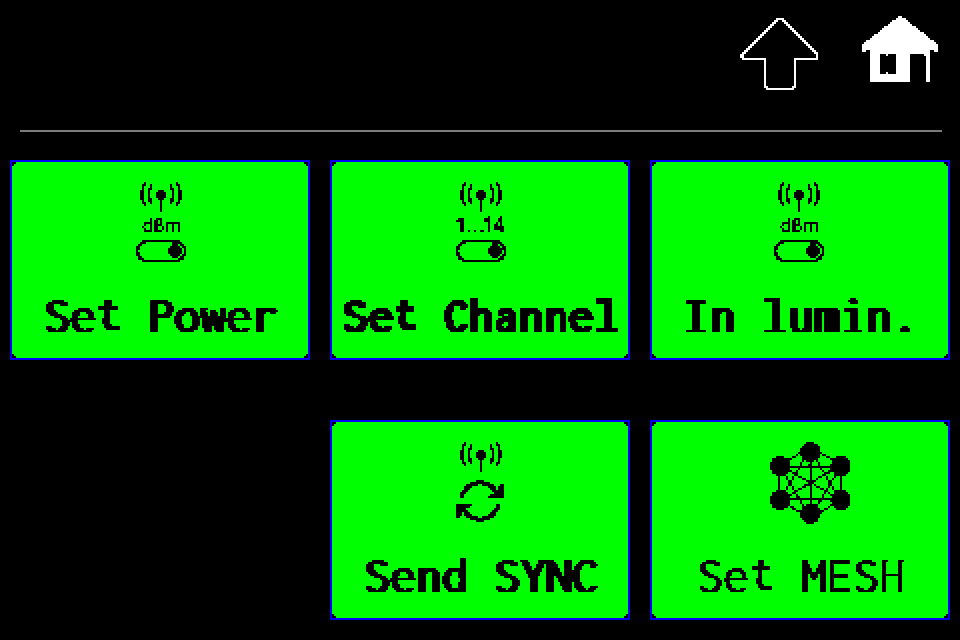 5Step 5 / 8
Choose “In lumin.”
In the Radio menu, tap In lumin. in the upper right. This opens the shared radio power setting for AirBUS luminaires.
-
EZF480 × 320 · Classic
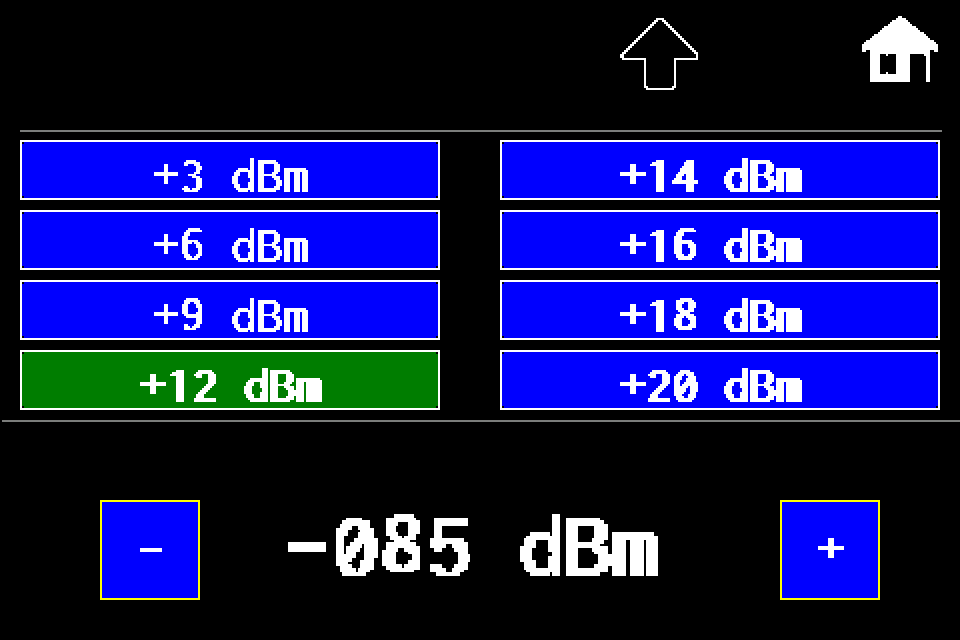 6Step 6 / 8
Choose the luminaire transmit power
Tap the required positive dBm value in the two upper columns. A higher level increases power; a lower level reduces it. Example: +12 → +14 dBm. Available: +3, +6, +9, +12, +14, +16, +18, +20 dBm. The lower −085 dBm value is a separate RSSI threshold; the lower −/+ buttons adjust that threshold, not transmit power.
-
EZF480 × 320 · Classic
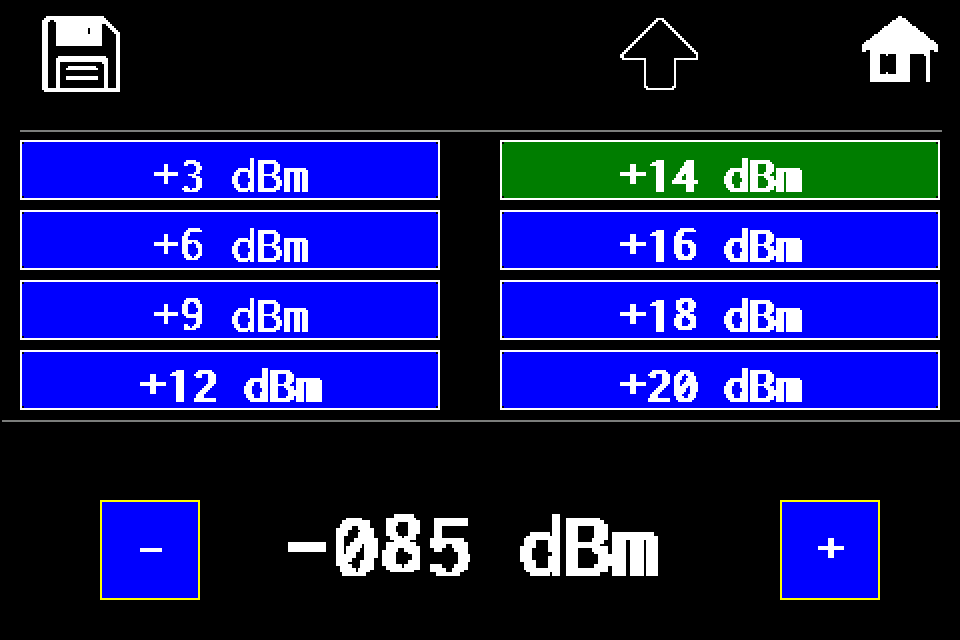 7Step 7 / 8
Save luminaire power with the disk icon
Tap the disk icon in the upper left. The controller saves the setting and returns to the Radio menu. The next step — Send SYNC — is required to transmit the setting to the luminaires.
-
EZF480 × 320 · Classic8Step 8 / 8
Run “Send SYNC”
After saving, tap the yellow-outlined Send SYNC tile. This is the additional menu action required for the luminaires. The controller requests radio synchronization with the saved power level. There is no additional confirmation dialog.
After running Send SYNC, allow the network to synchronize. Reopen In lumin. to check the saved level. The highlighted value shows the setting stored in the controller; tapping SYNC does not confirm receipt by every luminaire.