Remove one specified address, including the confirmation screen.
1 min readUpdated: 2026-11-06
AIRBUS · STEP BY STEP
AirBUS: delete one luminaire
480 × 320 display screens in the selected language. The yellow outline marks where to tap. Illustrated data is for demonstration.
Display interface
Before you start
Check the exact HEX address on the luminaire card and keep a USB export of the current list. Replace the example 01A2 with the address of the luminaire to remove.
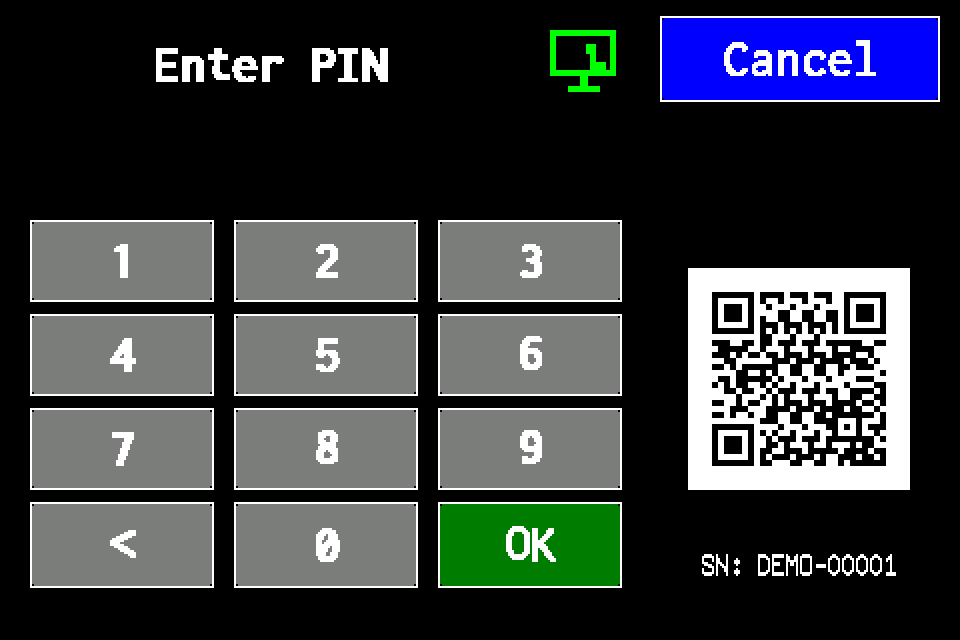
If the controller asks for a PIN
Enter your own PIN on the display keypad and confirm with OK. Use an account authorised for the operation. If already signed in, continue to the next menu screen. Controller access codes →
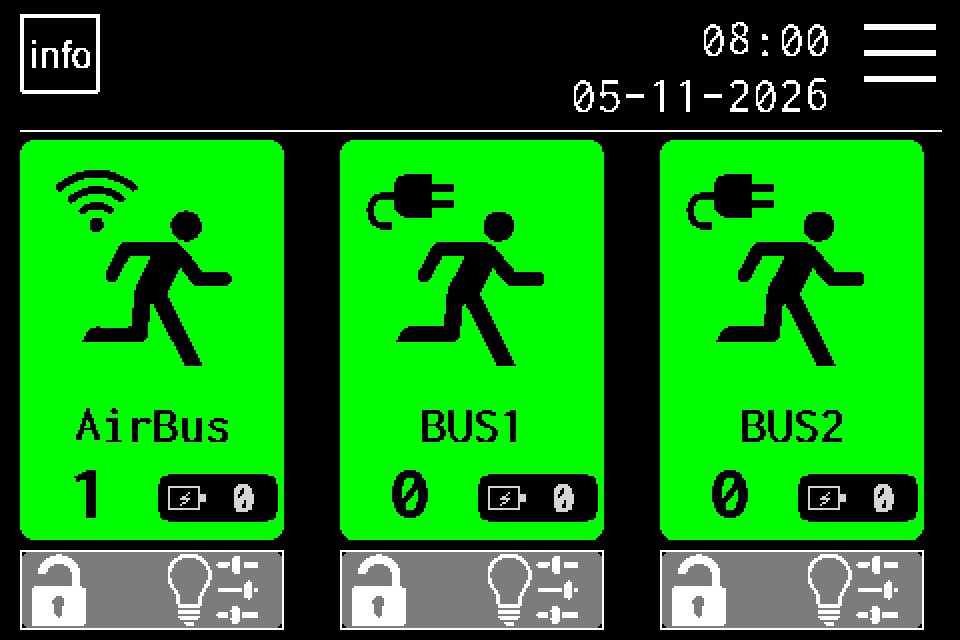
On the home screen, tap the menu icon in the upper right. If a PIN keypad appears, sign in with access to luminaire management. Controller access codes →
EZF480 × 320 · Classic
2Step 2 / 7
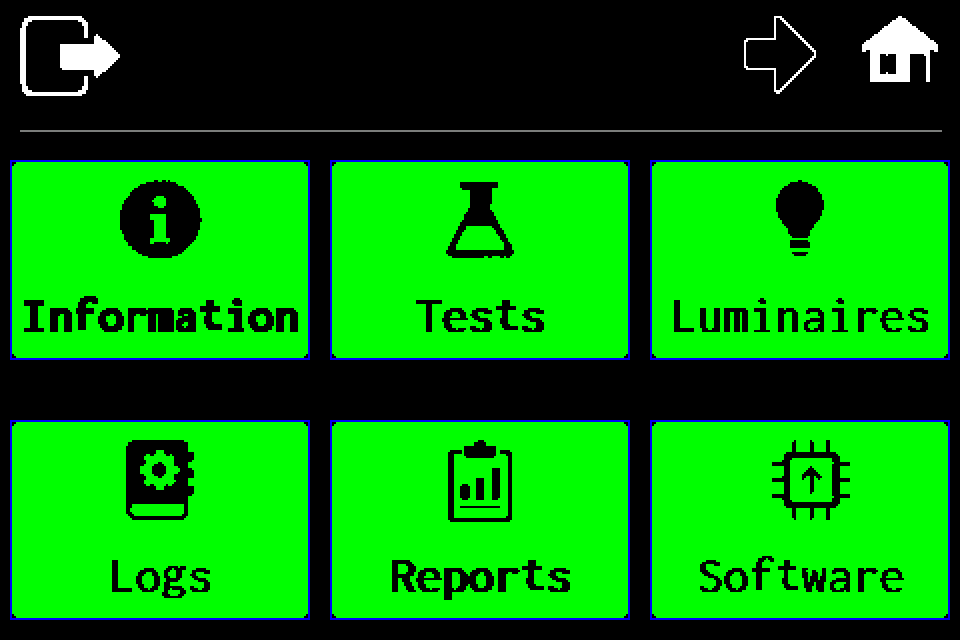
Choose “Luminaires”
Stay on the first menu page and tap the luminaires tile in the upper right.
EZF480 × 320 · Classic
3Step 3 / 7
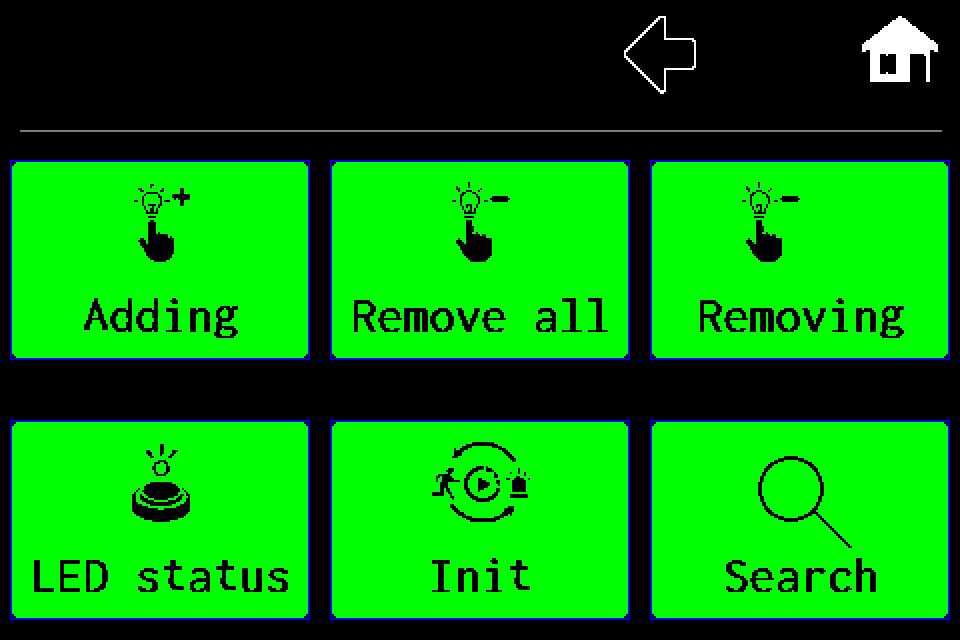
Tap “Removing”
Choose the upper-right tile for deleting one luminaire. Do not select the middle tile for deleting all luminaires.
EZF480 × 320 · Classic
4Step 4 / 7
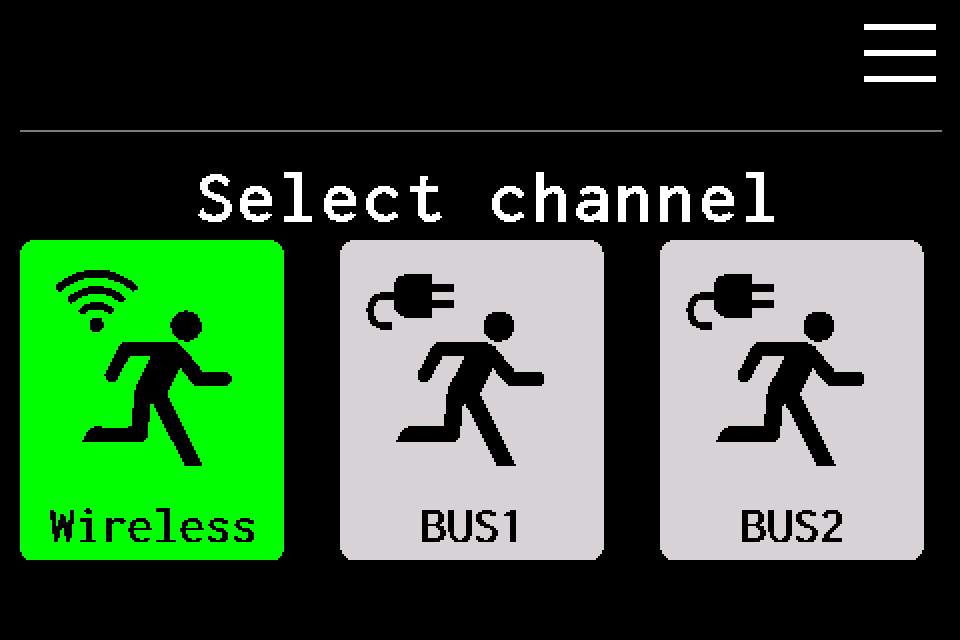
Choose “Wireless” — AirBUS
Tap Wireless on the left. This guide applies to the AirBUS radio channel. Do not select BUS1 or BUS2.
EZF480 × 320 · Classic
5Step 5 / 7
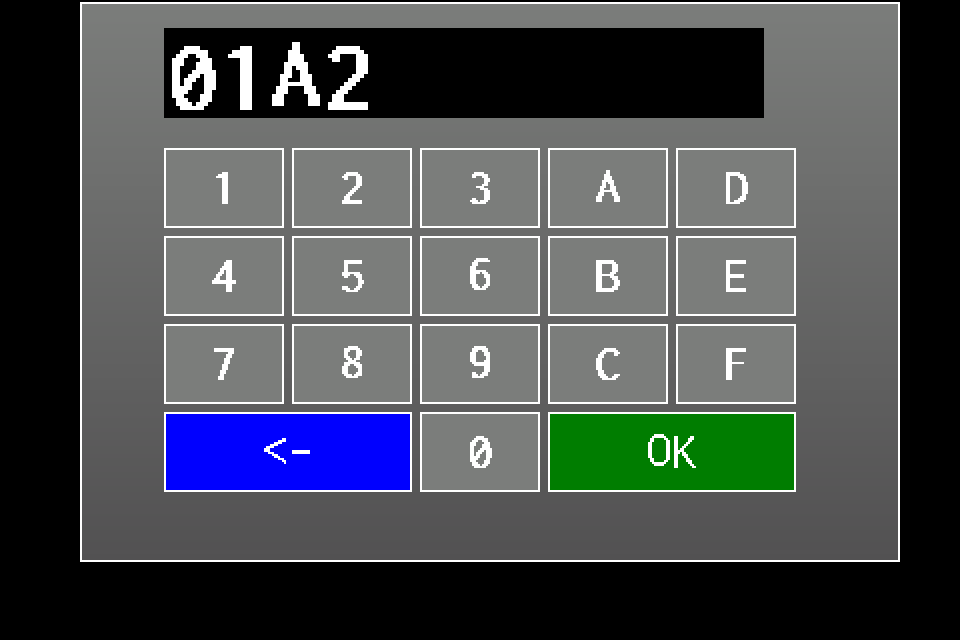
Enter the luminaire HEX address
Enter the address from the luminaire, for example 01A2. Digits and A–F form a hexadecimal address; do not enter a 0x prefix. ← deletes the last character. The position in the list is not the luminaire address.
EZF480 × 320 · Classic
6Step 6 / 7
Confirm the address lookup
Check the address and press the green OK. The controller checks whether this luminaire is registered. This does not yet confirm deletion.
EZF480 × 320 · Classic
7Step 7 / 7
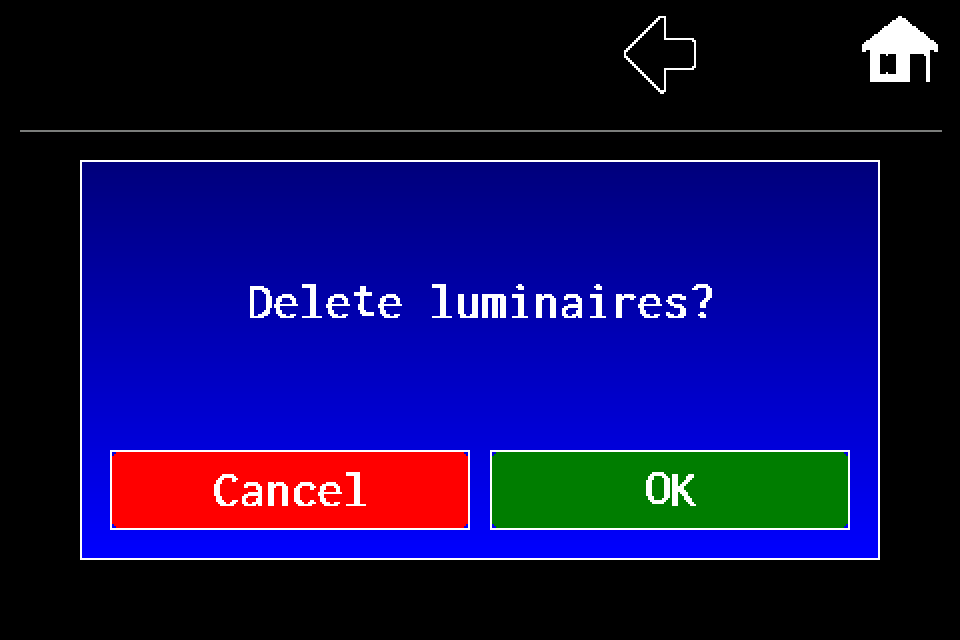
Confirm deleting one luminaire: OK
The deletion question applies to the entered address. Press OK on the right only after checking the address. Cancel aborts the operation.
Finish and verify
Afterwards, check that the address is no longer in the AirBUS list. This single-entry deletion path does not factory-reset the physical luminaire. Add it again to resume monitoring.
Check the HEX address on the luminaire card and export the current list.
Open MENU → Luminaires → Removing.
Choose Wireless for AirBUS.
Enter the address and press the green keypad OK.
The controller checks whether the address is registered. Confirm the question about deleting the luminaire with OK on the right. Cancel aborts the operation.
Check that the address has disappeared from the AirBUS list.
Scope
This path removes one local AirBUS entry, its data and current state. It is not a factory reset of the device and is different from deleting all luminaires. Add the luminaire again to resume monitoring.
Do not confuse the HEX address with the position in the list. If the address is not found, check the channel and address; do not delete all luminaires instead.